Table of Contents
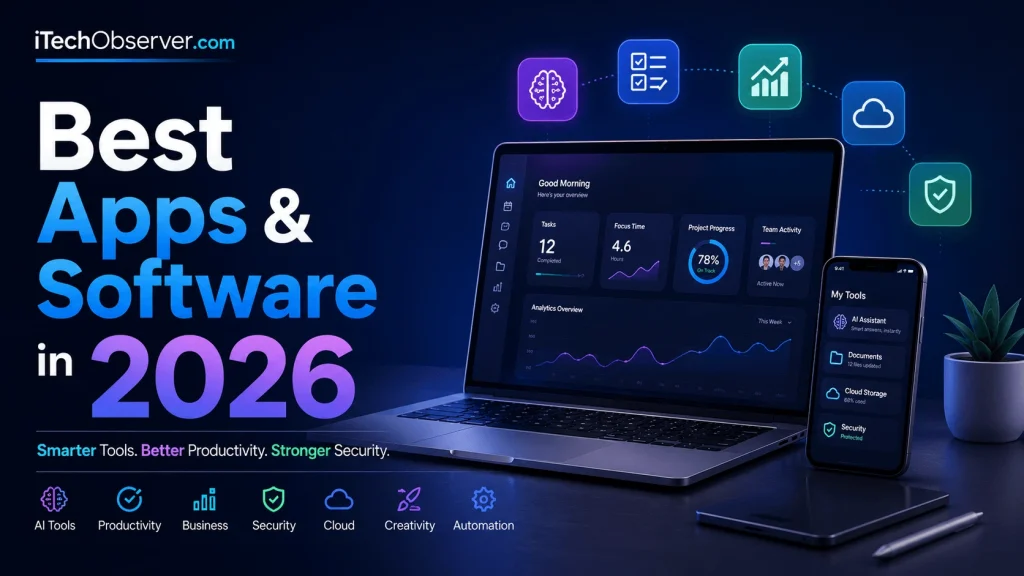
Technology in 2026 moves faster than ever. Artificial intelligence is no longer just a futuristic idea — it is built into the apps we use every day, helping us write faster, automate tasks, protect our data, create content, manage businesses, and stay connected.
But there is a problem:
There are thousands of apps promising to make your life easier.
Which ones are actually worth downloading?
Whether you are a student, entrepreneur, content creator, developer, remote worker, or someone who simply wants better digital tools, choosing the right software can save hundreds of hours every year.
The best apps and software in 2026 are not just about having more features. They are about:
- Saving time
- Improving productivity
- Automating repetitive tasks
- Protecting your privacy
- Enhancing creativity
- Making smarter decisions
In this guide, we explore the best apps and software in 2026 across AI, productivity, security, design, communication, finance, and more.
Why Choosing the Right Apps Matters in 2026
Digital tools have become part of almost every area of life.
A modern professional may use apps for:
- AI assistance
- Project management
- Password security
- Video meetings
- Cloud storage
- Writing
- Design
- Financial tracking
- Automation
According to technology trends, companies continue increasing investments in AI-powered tools because automation improves efficiency and reduces manual workloads.
The difference between using average tools and excellent software can mean:
- Finishing projects faster
- Making fewer mistakes
- Collaborating more effectively
- Improving online security
The right software stack has become a competitive advantage.
Best AI Apps and Software in 2026
Artificial intelligence remains the biggest technology trend of 2026. AI tools are now personal assistants, research partners, coding helpers, and creative collaborators.
1. ChatGPT — Best AI Assistant Overall
ChatGPT continues to be one of the most useful AI-powered applications available.
It helps users:
- Write articles and emails
- Generate ideas
- Summarize documents
- Learn new skills
- Analyze information
- Improve workflows
Best For:
- Students
- Writers
- Business owners
- Developers
- Researchers
Productivity Tip:
Use AI assistants to create first drafts, summarize long reports, and organize information — but always review important outputs yourself.
2. Microsoft Copilot — Best AI Tool for Office Productivity
Microsoft Copilot integrates AI directly into workplace applications.
It can help with:
- Creating documents
- Analyzing spreadsheets
- Preparing presentations
- Managing emails
For businesses already using Microsoft products, Copilot provides a powerful productivity upgrade.
Example Uses:
A marketing manager can summarize customer reports, generate presentation ideas, and analyze campaign data without switching between multiple tools.
3. Google Gemini — Best AI Research Assistant
Google Gemini combines artificial intelligence with powerful information processing.
Popular uses include:
- Research assistance
- Writing support
- Brainstorming ideas
- Understanding complex topics
- Image-related AI tasks
It is especially useful for users connected to Google’s ecosystem.
Best Productivity Apps in 2026
Productivity software helps people organize tasks, manage projects, and stay focused.
4. Notion — Best All-in-One Workspace
Notion remains one of the most flexible productivity platforms.
You can use it for:
- Notes
- Project planning
- Team collaboration
- Content calendars
- Knowledge management
Why Users Like It:
Instead of switching between several apps, Notion combines multiple workflows into one place.
Useful templates include:
- Weekly planners
- Business dashboards
- Study systems
- Goal trackers
5. Todoist — Best Task Management App
Todoist is perfect for organizing daily responsibilities.
Key features include:
- Task scheduling
- Priority levels
- Reminders
- Project organization
Productivity Example:
Instead of keeping ideas scattered across messages and notebooks, users can create organized task lists with deadlines.
6. Trello — Best Visual Project Management Software
Trello uses boards, cards, and lists to organize projects visually.
Common uses:
- Content planning
- Product development
- Team workflows
- Personal projects
Its simple interface makes it popular among beginners and small teams.
Best Business Software in 2026
Modern companies rely heavily on digital platforms to manage communication, sales, marketing, and operations.
7. Slack — Best Team Communication Platform
Slack helps teams reduce unnecessary emails and improve collaboration.
Features include:
- Channels
- Direct messaging
- File sharing
- App integrations
- Workflow automation
Remote teams especially benefit from organized communication spaces.
8. Zoom — Best Video Meeting Software
Video communication remains essential in 2026.
Zoom continues serving:
- Remote workers
- Online educators
- Businesses
- Virtual events
Important features include:
- HD meetings
- Screen sharing
- Webinars
- AI meeting summaries
9. HubSpot — Best Customer Relationship Software
HubSpot helps businesses manage:
- Customers
- Marketing campaigns
- Sales pipelines
- Analytics
Small businesses can use CRM tools to improve customer relationships and increase sales efficiency.
Best Creative Apps and Design Software in 2026
Content creation continues growing, and creators need powerful tools for images, videos, and branding.
10. Canva — Best Beginner-Friendly Design Tool
Canva makes professional design accessible.
Users can create:
- Social media graphics
- Presentations
- Posters
- Videos
- Marketing materials
AI-powered design features make content creation faster than traditional methods.
11. Adobe Creative Cloud — Best Professional Creative Software
Adobe remains a leader for professional creators.
Popular apps include:
- Photoshop
- Premiere Pro
- Illustrator
- Lightroom
Best suited for:
- Designers
- Photographers
- Video editors
- Agencies
12. CapCut — Best Video Editing App for Creators
Short-form video dominates social media, and CapCut provides powerful editing features.
Creators use it for:
- TikTok videos
- YouTube Shorts
- Instagram Reels
- Marketing videos
Helpful features:
- Templates
- Captions
- Effects
- AI editing tools
Best Cybersecurity Apps in 2026
As digital threats become more advanced, security software is essential.
13. Bitwarden — Best Password Manager
Weak passwords remain a major cybersecurity risk.
Bitwarden helps by providing:
- Secure password storage
- Password generation
- Cross-device syncing
Security Tip:
Use unique passwords for every important account and enable two-factor authentication whenever possible.
14. Malwarebytes — Best Malware Protection Software
Cybercriminals increasingly use advanced attacks.
Malwarebytes protects against:
- Malware
- Suspicious programs
- Online threats
Good security habits include:
- Updating software regularly
- Avoiding unknown downloads
- Checking suspicious links
15. Proton VPN — Best Privacy App
VPN services help protect online privacy.
A VPN can:
- Encrypt internet traffic
- Improve security on public Wi-Fi
- Reduce online tracking
Privacy-focused users often include VPN software in their security setup.
Best Cloud Storage Apps in 2026
16. Google Drive
Google Drive remains a popular cloud storage solution.
Benefits:
- Easy sharing
- Online collaboration
- Document editing
- File backup
17. Dropbox
Dropbox focuses on reliable file synchronization.
Useful for:
- Professionals
- Teams
- Creative workers handling large files
Best Developer Tools in 2026
18. Visual Studio Code
VS Code remains one of the most popular coding environments.
Developers use it because of:
- Extensions
- Customization
- AI coding integrations
- Multi-language support
19. GitHub
GitHub is essential for software development collaboration.
Features include:
- Code hosting
- Version control
- Team workflows
- AI development tools
How to Choose the Best Software for Your Needs
Before downloading another app, consider these questions:
Does It Solve a Real Problem?
Avoid installing apps just because they are popular.
Ask:
“Will this save time or improve my workflow?”
Is It Secure?
Check:
- Privacy policies
- Security features
- Update history
Does It Work With Your Current Tools?
The best software connects smoothly with your existing workflow.
Future App Trends Beyond 2026
The software industry continues evolving quickly.
Major trends include:
More AI Automation
Apps will increasingly:
- Predict user needs
- Automate routine work
- Personalize experiences
Better Privacy Controls
Users demand more control over personal data.
Expect stronger:
- Encryption
- Privacy dashboards
- Security settings
Smarter Connected Workflows
Future apps will communicate better with each other, reducing manual switching.
Final Thoughts: Which Apps Should You Use in 2026?
The best apps and software in 2026 are the ones that help you work smarter, stay secure, and achieve more with less effort.
For most users, a strong digital toolkit should include:
- An AI assistant
- A productivity manager
- Cloud storage
- Security software
- Creative tools
- Communication apps
Technology keeps changing, but choosing reliable tools gives you a major advantage.
Start with the apps that solve your biggest problems — then build a software setup designed around your goals.
Frequently Asked Questions (FAQ)
What is the best app to use in 2026?
The best app depends on your needs. ChatGPT, Notion, Google Drive, Canva, and Bitwarden are among the most useful apps because they improve productivity, creativity, and security.
What is the best AI software in 2026?
Popular AI tools include ChatGPT, Microsoft Copilot, and Google Gemini. They help with writing, research, automation, and productivity.
What software should every professional have?
Most professionals benefit from:
- AI assistant software
- Password managers
- Cloud storage
- Project management tools
- Communication platforms
Are free apps enough in 2026?
Yes, many free apps provide excellent features. However, premium versions often include advanced security, automation, storage, and business tools.
What is the safest software category to invest in?
Cybersecurity software such as password managers, antivirus protection, and privacy tools provides long-term value because online threats continue increasing.
How many productivity apps should I use?
Using fewer high-quality apps is usually better. Too many tools can create distractions instead of improving productivity.


Hey there 👋 I’m Awais, the curious mind behind iTech Observer.
I’m a tech blogger who loves diving deep into AI and Cybersecurity, but my real passion is making those topics easy to understand — especially for small business owners trying to grow in a digital world.
Here on iTech Observer, I break down the latest tech trends, tools, and security tips into practical, real-world advice you can actually use. Whether you’re trying to secure your business website, understand how AI can boost productivity, or just want to stay updated on what’s next in tech — you’re in the right place.
I believe technology should empower, not overwhelm.
Let’s explore the innovations that can make your business stronger, smarter, and more secure.