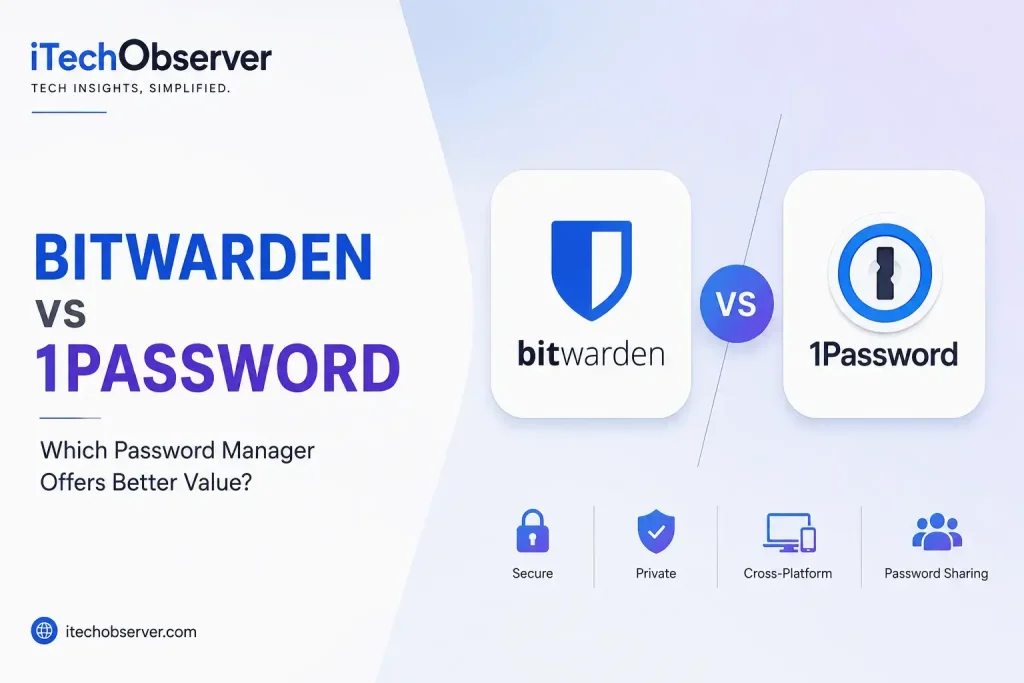
Bitwarden vs 1Password: Which Password Manager Offers Better Value in 2026?
Choosing a password manager isn’t really about finding the app with the longest feature list. It’s about finding the service that gives you the right combination of security, convenience, privacy, compatibility, and price—without making everyday password management more complicated than it needs to be.
Choosing between Bitwarden and 1Password is particularly interesting.
Both are established password managers with strong encryption, cross-platform apps, browser extensions, password generation, passkey support, secure sharing, and tools for identifying compromised or weak credentials. But they take noticeably different approaches.
Bitwarden focuses heavily on affordability, open-source transparency, flexibility, and giving users a substantial free option.
1Password focuses more heavily on polish, usability, integrated security features, and a premium experience.
So which one offers better value in 2026?
For most people who want maximum features for minimum cost, Bitwarden is the better value. But if you’re willing to pay more for a smoother interface, stronger family and collaboration experience, and premium security conveniences, 1Password can be worth the extra money.
Let’s break down exactly where each password manager wins.
Bitwarden vs 1Password at a Glance
| Feature | Bitwarden | 1Password |
|---|---|---|
| Free plan | Yes | No |
| Individual paid plan | $19.80/year | $47.88/year regular annual price |
| Family plan | $47.88/year | $71.88/year regular annual price |
| Unlimited passwords | Yes | Yes |
| Unlimited devices | Yes | Yes |
| End-to-end encryption | Yes | Yes |
| Zero-knowledge architecture | Yes | Yes |
| Open source | Yes | No |
| Passkeys | Yes | Yes |
| Password generator | Yes | Yes |
| Secure sharing | Yes | Yes |
| Security reports/alerts | Yes | Yes |
| Emergency access | Yes | — |
| Travel Mode | No | Yes |
| Self-hosting | Yes | No |
| Secure file storage | Yes, with paid features | Yes |
| Best for | Value, transparency, flexibility | Ease of use, families, premium experience |
Pricing is based on current official U.S. pricing pages and annual billing; promotional pricing can change.
Bitwarden’s current personal pricing is $19.80 per year for Premium and $47.88 per year for Families, with a free plan that supports unlimited passwords and devices.
1Password’s regular annual-billing price is $3.99 per month for Individual and $5.99 per month for Families, although its site currently displays promotional introductory pricing for eligible new customers.
The Short Answer
If you don’t want to read the entire comparison, here’s the verdict:
Choose Bitwarden if you want:
- The best overall price
- A genuinely useful free plan
- Open-source software
- Unlimited passwords and devices
- Self-hosting flexibility
- Strong security without paying much
- Excellent value for individuals
Choose 1Password if you want:
- A more polished user experience
- Excellent autofill and password management workflows
- A strong family experience
- Travel Mode
- Watchtower security alerts
- More refined organization and sharing
- Premium features that feel integrated rather than technical
Overall value winner: Bitwarden
Ease-of-use winner: 1Password
Security: Extremely close
Family experience: 1Password
Free-plan winner: Bitwarden
Best for power users and self-hosting: Bitwarden
Best premium experience: 1Password
What Is Bitwarden?
Bitwarden is an open-source password manager designed around affordability, transparency, and strong encryption.
It can store passwords, passkeys, credit cards, secure notes, identities, and other sensitive information. Its browser extensions and apps allow you to access those credentials across major desktop and mobile platforms.
One of Bitwarden’s biggest advantages is that you don’t have to pay simply to get the fundamentals.
Its free plan supports unlimited passwords and devices, along with password generation, autofill, passkey management, two-step login, and other core functionality.
That’s a major reason Bitwarden remains such a compelling option.
Bitwarden’s biggest strengths
- Free plan with unlimited passwords
- Unlimited devices
- Open-source code
- End-to-end encryption
- Passkey management
- Security reports
- Emergency access
- Affordable Premium subscription
- Family and organizational sharing
- Self-hosting option
- Broad platform support
Bitwarden also allows users to host their own infrastructure, giving technically experienced users additional control over deployment.
Where Bitwarden falls behind
Its biggest weakness isn’t security or capability.
It’s polish.
Bitwarden’s interface is considerably better than it used to be, but 1Password generally feels more refined and approachable. Users who want a password manager that stays out of the way and makes complex security features feel simple may prefer 1Password.
What Is 1Password?
1Password takes a more premium approach.
It is designed to make storing and using passwords, payment information, secure notes, identities, and other sensitive data as frictionless as possible.
The service works across Windows, macOS, Linux, Android, iOS, and major browsers. Its current plans include password generation, autosave and autofill, secure sharing, multi-device access, and alerts for weak or compromised credentials.
Its biggest differentiator is that 1Password doesn’t try to compete primarily on being cheap.
Instead, it competes on experience.
The interface is polished, organization is intuitive, and security features such as Watchtower are integrated directly into everyday password management.
1Password’s biggest strengths
- Excellent interface
- Strong autofill experience
- Watchtower security monitoring
- Travel Mode
- Passkey support
- Family sharing
- Secure item sharing
- Broad platform compatibility
- Strong business administration
- Developer-focused security tools
Where 1Password falls behind
The obvious drawback is price.
There is no permanent free personal plan equivalent to Bitwarden’s free offering. You get a 14-day trial, after which you need a paid subscription.
For someone managing dozens or hundreds of passwords who doesn’t care about premium conveniences, that additional cost may be difficult to justify.
Bitwarden vs 1Password: Pricing and Value
This is the category where the difference becomes easiest to see.
Bitwarden pricing
Bitwarden currently lists:
- Free: $0
- Premium: $19.80/year
- Families: $47.88/year for up to six users
The free plan includes unlimited passwords and devices. Premium adds features such as the integrated authenticator, encrypted file attachments, emergency access, security reports, and additional security features.
One important detail is easy to overlook:
Bitwarden’s individual Premium subscription isn’t the same thing as its family/organization sharing system.
Secure sharing is handled through Bitwarden organizations. A free organization can share with one other user, while the Families organization supports six users and includes premium features for those users.
That distinction matters when comparing plans.
1Password pricing
1Password currently lists regular annual-billing prices of:
- Individual: $3.99/month, or $47.88/year
- Families: $5.99/month, or $71.88/year
The company is currently displaying lower promotional prices for eligible new customers, but those discounts are not the same as the standard renewal price.
That means you should compare regular pricing, not just the promotional number you may see when signing up.
Pricing winner: Bitwarden
There’s no complicated calculation here.
Bitwarden’s free plan makes it substantially easier for an individual to get started without spending anything, while its paid plan remains inexpensive.
1Password offers more of a premium software experience, but you’re paying for it.
Winner: Bitwarden
Is Bitwarden’s Free Plan Actually Good Enough?
For many people, yes.
That’s one of Bitwarden’s strongest selling points.
The free plan supports:
- Unlimited passwords
- Unlimited devices
- Password generation
- Autofill
- Passkey management
- Two-step login
- Encrypted vault synchronization
- Data-breach scanning
- Secure sharing with one other user through a free organization
Bitwarden’s current feature comparison confirms that unlimited passwords and devices, passkey management, password generation, autofill, two-step login, and zero-knowledge encryption are available on the free plan.
For an individual who simply wants to replace browser-stored passwords with a dedicated password manager, the free version can be enough.
That’s something 1Password can’t match.
Security: Bitwarden vs 1Password
Security is the most important category in this comparison.
After all, you’re trusting these applications with some of the most valuable information in your digital life.
The good news is that both are serious security products.
Neither should be dismissed as the “less secure” option simply because its architecture is different.
Bitwarden’s Security Model
Bitwarden encrypts vault data locally before it is sent to its cloud infrastructure.
Its security documentation describes an end-to-end, zero-knowledge architecture in which Bitwarden does not have access to the keys required to decrypt your vault. Its current documentation describes AES-256-CBC encryption with HMAC-SHA256 authentication and key-derivation options including PBKDF2-SHA256 and Argon2id.
Bitwarden also makes its source code publicly available.
That matters because researchers and developers can inspect the software, identify vulnerabilities, and independently scrutinize its implementation.
Bitwarden says its software has also undergone third-party security assessments and independent research, alongside its vulnerability disclosure program.
Bitwarden’s security advantage
Transparency.
Its open-source model gives technically minded users another way to evaluate the software.
1Password’s Security Model
1Password takes a different approach.
Its security architecture uses a dual-key model involving your account password and a separate 128-bit Secret Key. The Secret Key is generated on your device and works with your account password to derive the encryption keys used to protect your data.
Your vault data is encrypted before being sent to 1Password’s servers.
1Password states that it cannot decrypt and read your vault contents because it does not possess the keys required to do so.
This is an important distinction from simply saying that a service “uses encryption.”
The architecture is designed so that the provider doesn’t hold the keys needed to read your encrypted vault.
Which Is More Secure?
There isn’t a meaningful winner for the average user.
Bitwarden and 1Password both provide strong end-to-end encryption and zero-knowledge-style architectures designed to prevent the provider from simply reading your vault.
The meaningful difference is architectural philosophy.
Bitwarden
Strength: Open-source transparency and user flexibility.
1Password
Strength: Dual-key architecture using the account password plus Secret Key.
So rather than asking:
“Which one is secure?”
The better question is:
“Which security model and ecosystem do I trust and prefer?”
For most users, both are strong choices.
Winner: Tie
Open Source vs Proprietary Software
This is one of the biggest philosophical differences between the two products.
Bitwarden
Bitwarden publishes the source code for its software and explicitly encourages review, auditing, and contribution.
For security-conscious users, this is a major advantage.
It doesn’t automatically make open-source software secure, but it provides greater visibility into how the software works.
1Password
1Password isn’t fully open source in the same way.
However, that doesn’t mean its security model is a black box.
The company publishes extensive documentation about its architecture and undergoes independent security assessments. Its current security documentation also describes an ongoing public bug-bounty program.
Winner: Bitwarden
If source-code transparency is important to you, Bitwarden has the clear advantage.
Ease of Use: Which One Is Simpler?
This is where 1Password earns its higher price.
Bitwarden is easy enough for most people.
But 1Password tends to make password management feel more effortless.
The difference appears in small interactions:
- Finding a saved login
- Creating a new password
- Organizing vault items
- Managing shared information
- Using autofill
- Understanding security alerts
- Switching between personal and shared information
1Password generally puts more emphasis on reducing friction.
Bitwarden tends to expose more of its functionality in a way that can feel slightly more technical.
Winner: 1Password
Autofill and Browser Experience
Autofill is one of those features you don’t fully appreciate until it stops working properly.
Both password managers support browser extensions and automatic filling.
Bitwarden provides browser extensions for major browsers and supports password generation and autofill as core functionality.
1Password similarly supports major browsers and emphasizes autosave and autofill as core parts of the product.
In everyday use, 1Password has the edge in polish, while Bitwarden provides excellent functionality at a much lower cost.
Winner: 1Password
Passkeys: Bitwarden vs 1Password
Passwords are gradually giving way to passkeys, so this feature is becoming increasingly important.
Both Bitwarden and 1Password support passkey management.
Bitwarden includes passkey management even in its free plan.
1Password also supports passkeys and integrates them into its broader password-management experience.
For someone choosing a password manager today, passkey support should be considered a baseline requirement rather than a luxury.
Winner: Tie
Both are well positioned for the move toward passwordless authentication.
Security Monitoring
This is an area where 1Password has a particularly recognizable feature.
1Password Watchtower
Watchtower analyzes your stored information and can flag problems such as:
- Weak passwords
- Reused passwords
- Known breaches
- Accounts that support passkeys
- Other security issues
1Password describes Watchtower as a way to surface compromised and weak credentials and highlight sites that support passkeys.
Bitwarden has its own security and vault-health features, including reports that can identify weak and compromised passwords.
So the underlying goal is similar.
The difference is primarily in presentation and workflow.
Winner: 1Password
Watchtower feels particularly well integrated into the overall 1Password experience.
Password Sharing
Sharing passwords through email, text messages, or spreadsheets is a security problem.
Both services provide safer alternatives.
Bitwarden uses organizations and collections to facilitate secure sharing. Its free organization can support secure sharing with one other user, while its Families organization supports up to six users.
1Password’s Families plan supports up to five invited family members in addition to the account owner and allows unlimited vault sharing.
1Password also supports secure sharing with people who don’t have a 1Password account in certain workflows, including temporary sharing and expiration controls in business environments.
Winner: 1Password
Bitwarden is highly capable, but 1Password’s sharing experience is generally more intuitive.
Family Features
If you’re buying a password manager for several people, price isn’t the only consideration.
You need:
- Simple sharing
- Separate private vaults
- Shared vaults
- Easy member management
- Recovery options
- Clear permissions
1Password Families is built specifically around this use case. Its plan includes up to five additional family members and unlimited vault sharing.
Bitwarden Families supports six premium accounts and unlimited sharing and collections.
Both are good.
But 1Password’s interface gives it an advantage for households that don’t want to think about password-management administration.
Winner: 1Password
Business and Team Features
The comparison becomes more complicated once you’re talking about a company.
Bitwarden currently offers Teams at $4 per user per month when billed annually and Enterprise at $6 per user per month, with features such as centralized management, event logs, directory synchronization, SCIM, granular access controls, passwordless SSO integration, and self-hosting options at the Enterprise level.
1Password’s Teams Starter Pack costs $24.95 per month when billed annually and includes 10 members, while Business costs $8.99 per user per month when billed annually. Business adds capabilities including identity-provider integrations, role-based permissions, Watchtower alerts, and developer tooling.
For organizations, 1Password has a particularly strong feature set around administration and developer workflows.
Bitwarden counters with:
- Lower pricing
- Open-source software
- Self-hosting
- Directory integration
- SCIM
- Enterprise access controls
Business winner: Depends on the company
Choose Bitwarden for cost, transparency, and deployment flexibility.
Choose 1Password for premium administration, developer workflows, and a highly polished business experience.
Self-Hosting: Bitwarden Has a Major Advantage
This isn’t a feature most casual users need.
But for technically advanced users, it can be extremely important.
Bitwarden supports self-hosting, allowing organizations and experienced individuals to run Bitwarden infrastructure themselves.
1Password is primarily a hosted service.
That makes Bitwarden considerably more attractive to users who want greater control over infrastructure and deployment.
Winner: Bitwarden
Travel Mode
This is one category where 1Password has a feature Bitwarden doesn’t directly match.
1Password’s Travel Mode is designed to allow users to control which vaults are available when traveling.
For people who frequently cross borders or travel with sensitive corporate information, this can be a meaningful privacy and security feature.
Winner: 1Password
Secure Storage Beyond Passwords
Modern password managers are no longer just password databases.
They can store:
- Credit card information
- Identity information
- Secure notes
- Wi-Fi credentials
- Recovery information
- Documents
- Other sensitive data
Bitwarden Premium currently includes 5 GB of encrypted file storage, while its Families plan provides personal and shared storage allocations.
1Password similarly allows users to keep sensitive information beyond traditional login credentials.
Winner: Tie
The exact storage requirements may determine which plan provides better value for you.
Platform Compatibility
Both password managers cover the major platforms.
You can use them across:
- Windows
- macOS
- Linux
- iOS
- Android
- Chrome
- Firefox
- Safari
- Edge
- Brave
1Password’s current business documentation explicitly lists macOS, iOS, watchOS, Windows, Android, Linux, and extensions for Chrome, Safari, Edge, Firefox, and Brave.
Bitwarden similarly supports the major desktop, mobile, and browser environments.
Winner: Tie
Neither service should leave most users worried about device compatibility.
Bitwarden vs 1Password: Feature-by-Feature Winners
| Category | Winner |
|---|---|
| Free plan | Bitwarden |
| Price | Bitwarden |
| Open source | Bitwarden |
| Self-hosting | Bitwarden |
| Security architecture | Tie |
| Passkeys | Tie |
| Platform support | Tie |
| Ease of use | 1Password |
| Autofill experience | 1Password |
| Interface | 1Password |
| Family experience | 1Password |
| Sharing experience | 1Password |
| Security monitoring | 1Password |
| Travel Mode | 1Password |
| Business flexibility | Bitwarden |
| Premium business experience | 1Password |
| Overall value | Bitwarden |
Bitwarden vs 1Password: Which Is Better for You?
There isn’t one correct answer for everyone.
Choose Bitwarden if you’re on a budget
This is the easiest recommendation.
If you’re an individual who wants a secure password manager without another expensive subscription, Bitwarden is extremely difficult to beat.
The free plan already provides the fundamentals.
And if you eventually need premium features, the annual price remains low.
Best for: Students, individuals, privacy enthusiasts, budget-conscious users, and technical users.
Choose 1Password if you value convenience
If you don’t mind paying more, 1Password makes a strong case.
Its polished interface, integrated security monitoring, family features, sharing tools, and overall workflow make it feel like a premium product.
Best for: Families, nontechnical users, professionals, and people who prioritize convenience.
Choose Bitwarden for self-hosting
If self-hosting matters, the decision is straightforward.
Bitwarden wins.
This is particularly relevant to advanced users and organizations with specific infrastructure or data-control requirements.
Choose 1Password for families
Both services offer family plans, but 1Password’s organization and sharing experience is easier for many households to understand.
If you’re setting up password management for parents, partners, or less technical family members, that simplicity can be worth paying for.
Choose Bitwarden for maximum value
If you define “value” as:
“How much security and functionality do I get for every dollar?”
Bitwarden wins.
Its free plan is unusually capable, and the Premium subscription remains inexpensive.
What About Security If Your Master Password Is Stolen?
This is one of the most important things people overlook.
A password manager isn’t magic.
If someone gains access to your unlocked device, steals your master password, or compromises your account through another authentication mechanism, your risk can increase substantially.
That’s why your password manager should be only one layer of your security strategy.
Regardless of which service you choose:
- Create a long, unique account password.
- Enable appropriate multi-factor authentication.
- Protect your email account with strong security.
- Keep your devices updated.
- Don’t reuse your password-manager password anywhere else.
- Review security alerts regularly.
- Store recovery information somewhere safe.
1Password’s Secret Key adds another cryptographic component to its account-security model, while Bitwarden offers multiple authentication and security options.
The Biggest Mistake: Choosing Based Only on Price
Bitwarden’s lower price is a major advantage.
But price isn’t the only thing that matters.
A password manager that you find frustrating to use may eventually lead you to:
- Reuse passwords
- Skip password generation
- Ignore security alerts
- Save credentials outside the manager
- Avoid adding accounts
- Disable useful security features
That’s why usability is itself a security feature.
If 1Password’s interface makes you more likely to use strong, unique credentials everywhere, its higher price may be justified.
On the other hand, if Bitwarden provides everything you need and you are comfortable with its interface, paying more doesn’t automatically make you safer.
Bitwarden vs 1Password: Our Verdict
After comparing pricing, security, usability, sharing, family tools, business features, passkeys, compatibility, and advanced capabilities, the result is surprisingly clear.
Bitwarden is the better value.
Its free plan is the biggest reason.
You can manage unlimited passwords across unlimited devices without paying a subscription, and you still get strong encryption, password generation, passkey management, autofill, and other core features.
Its low-cost Premium tier adds useful extras without dramatically increasing the price.
Its open-source model and self-hosting option make it particularly attractive to privacy-conscious and technically experienced users.
But 1Password is the better premium experience.
If you’re willing to pay more, 1Password offers an exceptionally polished password-management experience.
Its strengths are not necessarily about having more basic password features dramatically. They’re about how those features work together.
Watchtower, Travel Mode, sharing, family management, autofill, and its overall interface make 1Password a compelling choice for users who prioritize convenience and refinement.
Final Recommendation
For most individuals: Bitwarden.
For the best free option: Bitwarden.
For maximum value: Bitwarden.
For open-source transparency: Bitwarden.
For self-hosting: Bitwarden.
For the easiest premium experience: 1Password.
For families that prioritize simplicity: 1Password.
For advanced sharing and polished business workflows: 1Password.
The important takeaway is that you don’t need to spend more to get strong password security.
Bitwarden gives you the fundamentals at an exceptionally low cost. 1Password charges more, but its polished experience and additional conveniences can make that premium worthwhile.
If your priority is getting the most security and functionality for your money, Bitwarden is our overall winner.
If your priority is making password management as effortless and refined as possible, 1Password is worth the upgrade.
Frequently Asked Questions
Is Bitwarden better than 1Password?
For most budget-conscious users, yes. Bitwarden offers a substantially more generous free plan and lower-cost paid plans. 1Password is the better choice if you prioritize interface quality, convenience, family management, and premium features.
Is Bitwarden really free?
Yes. Bitwarden offers a free password manager plan with unlimited passwords and devices, plus core features such as password generation, autofill, passkey management, and two-step login.
Is 1Password more secure than Bitwarden?
Not in a simple winner-takes-all sense. Both use strong end-to-end encryption and architectures designed to prevent the provider from accessing your vault contents. 1Password uses a dual-key model involving your account password and Secret Key, while Bitwarden emphasizes open-source transparency and client-side encryption.
Which is cheaper, Bitwarden or 1Password?
Bitwarden is cheaper. Its current Premium plan is $19.80 per year, while 1Password’s regular Individual price is $3.99 per month when billed annually, or $47.88 per year.
Does Bitwarden support passkeys?
Yes. Bitwarden supports passkey management, and passkeys are included in its free plan.
Does 1Password have a free plan?
No permanent free personal plan is currently offered. 1Password provides a 14-day free trial for its personal and family plans.
Which password manager is better for families?
1Password has the edge for families that prioritize simplicity and polished sharing tools. Bitwarden Families is less expensive and supports up to six premium accounts, making it the stronger value option.
Can Bitwarden be self-hosted?
Yes. Bitwarden provides self-hosting options for users and organizations that want greater control over deployment and infrastructure.
Does 1Password support self-hosting?
1Password is primarily a hosted password-management service and does not offer the same self-hosting model as Bitwarden.
Which should I choose in 2026?
Choose Bitwarden if price, open-source transparency, flexibility, and self-hosting matter most. Choose 1Password if you want a more polished experience and are willing to pay more for convenience, family features, and premium security workflows.
Editor’s Bottom Line
Bitwarden wins on value. 1Password wins on refinement.
That distinction is more useful than simply declaring one password manager “better.”
For someone building their first password-management system, Bitwarden is the easier recommendation because you can start for free and upgrade only when you actually need additional features.
For someone who already knows they value a polished interface and doesn’t mind paying for software, 1Password remains one of the strongest premium choices available.
Either is dramatically better than reusing passwords or keeping sensitive credentials in unsecured notes.
The best password manager is ultimately the one you’ll actually use consistently.


Hey there 👋 I’m Awais, the curious mind behind iTech Observer.
I’m a tech blogger who loves diving deep into AI and Cybersecurity, but my real passion is making those topics easy to understand — especially for small business owners trying to grow in a digital world.
Here on iTech Observer, I break down the latest tech trends, tools, and security tips into practical, real-world advice you can actually use. Whether you’re trying to secure your business website, understand how AI can boost productivity, or just want to stay updated on what’s next in tech — you’re in the right place.
I believe technology should empower, not overwhelm.
Let’s explore the innovations that can make your business stronger, smarter, and more secure.