Artificial intelligence is transforming nearly every industry—from healthcare and education to marketing and customer service.
But there’s another side to the AI revolution that doesn’t get nearly as much attention.
Cybercriminals are using AI too.
The same technology that helps businesses automate workflows and improve productivity is now helping hackers launch faster, smarter, and more convincing cyberattacks than ever before.
What once required hours of manual work can now be automated in seconds. AI can write phishing emails, crack passwords, generate deepfake voices, scan websites for vulnerabilities, and even create malware.
The result?
Cyber threats are becoming more sophisticated, more scalable, and much harder to detect.
The good news is that understanding these threats is the first step toward defending against them.
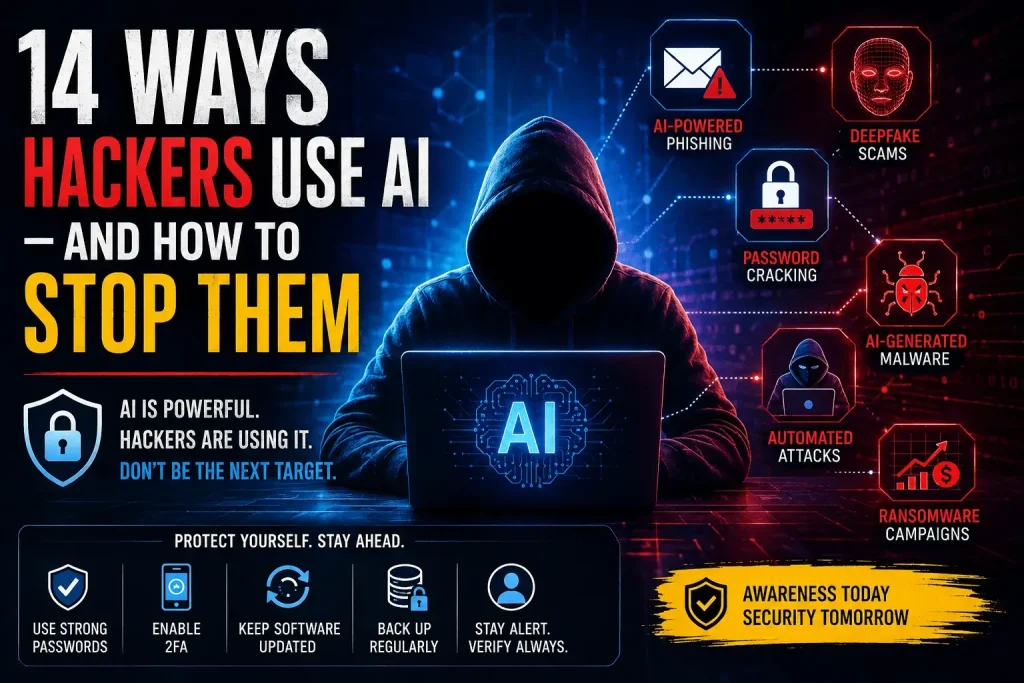
In this guide, you’ll discover 14 ways hackers are using AI in 2026—and, more importantly, what you can do to protect yourself.
Why AI Is Changing Cybersecurity
Artificial intelligence allows attackers to:
- Automate repetitive tasks
- Analyze massive amounts of data
- Personalize attacks
- Identify vulnerabilities faster
- Scale operations globally
Instead of targeting one victim at a time, hackers can now target thousands simultaneously.
This shift has fundamentally changed the cybersecurity landscape.
For a complete overview of modern cybersecurity threats and defenses, read our Cybersecurity Guide for 2026.
1. AI-Powered Phishing Emails
Phishing remains one of the most successful attack methods, and AI has made it significantly more dangerous.
Modern AI tools can:
- Mimic writing styles
- Personalize messages
- Remove grammar mistakes
- Create convincing business communications
Example
A hacker uses AI to create an email that appears to come from your bank or company CEO.
The message looks legitimate and contains details pulled from social media or public records.
How to Stop It
- Verify requests independently
- Enable email security filters
- Train employees to spot phishing attempts
- Never click unexpected links
2. Deepfake Voice Scams
AI-generated voices can now sound nearly identical to real people.
Hackers use deepfake technology to impersonate:
- CEOs
- Managers
- Family members
- Customer support representatives
Example
An employee receives a phone call from what sounds like the company’s CEO requesting an urgent wire transfer.
How to Stop It
- Require verification procedures
- Use approval workflows
- Confirm requests through multiple channels
3. Deepfake Video Attacks
Video deepfakes are becoming increasingly realistic.
Attackers can create fake videos that appear to show executives, politicians, or public figures making statements or requests.
How to Stop It
- Verify sources carefully
- Use video authentication tools
- Avoid acting on video instructions alone
4. Automated Password Cracking
AI can analyze password patterns and predict weak credentials much faster than traditional tools.
Common targets include:
- Reused passwords
- Short passwords
- Predictable phrases
How to Stop It
- Use a password manager
- Enable two-factor authentication
- Create unique passwords for every account
5. AI-Generated Malware
Hackers increasingly use AI to develop malware that can adapt and evade detection.
AI-enhanced malware can:
- Modify its code automatically
- Avoid antivirus detection
- Learn from failed attacks
How to Stop It
- Use endpoint protection software
- Keep systems updated
- Monitor unusual activity
6. Social Engineering at Scale
Social engineering attacks traditionally required significant manual research.
AI now automates that process.
Attackers can collect information from:
- LinkedIn profiles
- Social media accounts
- Company websites
- Public databases
How to Stop It
- Limit public information exposure
- Train employees regularly
- Verify unusual requests
7. AI-Powered Vulnerability Scanning
Hackers use AI to scan thousands of websites simultaneously for weaknesses.
Common targets include:
- Outdated plugins
- Weak login systems
- Misconfigured servers
- Unpatched software
How to Stop It
- Update software regularly
- Perform security audits
- Use website monitoring tools
8. Automated Credential Stuffing
Credential stuffing attacks use stolen usernames and passwords across multiple websites.
AI increases success rates by identifying likely account matches.
How to Stop It
- Never reuse passwords
- Enable multi-factor authentication
- Monitor login activity
9. AI Chatbot Scams
Attackers use AI chatbots to impersonate:
- Customer support agents
- Technical support teams
- Financial institutions
These bots can hold convincing conversations with victims.
How to Stop It
- Contact companies through official channels
- Verify support representatives
- Avoid sharing sensitive information
10. AI-Powered Fake Websites
AI can generate realistic websites in minutes.
These fake websites often mimic:
- Banks
- Government portals
- Online stores
- Popular software providers
How to Stop It
- Check URLs carefully
- Look for HTTPS encryption
- Avoid clicking links from unknown sources
11. Intelligent Bot Attacks
Modern bots are becoming increasingly sophisticated.
AI-powered bots can:
- Bypass CAPTCHAs
- Scrape data
- Create fake accounts
- Launch DDoS attacks
How to Stop It
- Use bot management tools
- Enable rate limiting
- Deploy web application firewalls
12. AI-Powered Business Email Compromise (BEC)
Business Email Compromise remains one of the costliest cybercrimes.
AI helps attackers:
- Mimic executive communication styles
- Create realistic invoices
- Conduct financial fraud
How to Stop It
- Require payment verification
- Implement approval procedures
- Monitor financial transactions
13. AI-Driven Data Mining
Cybercriminals use AI to analyze massive datasets and identify valuable targets.
They look for:
- Financial information
- Login credentials
- Customer records
- Intellectual property
How to Stop It
- Encrypt sensitive data
- Limit data access
- Conduct regular audits
14. AI-Assisted Ransomware Campaigns
Ransomware attacks are becoming increasingly automated.
AI helps attackers:
- Identify high-value targets
- Prioritize victims
- Optimize attack timing
- Increase ransom success rates
How to Stop It
- Back up data regularly
- Segment networks
- Deploy ransomware protection tools
- Maintain incident response plans
Best Security Tools to Defend Against AI-Powered Attacks
No single tool can stop every threat, but combining multiple layers of protection dramatically improves security.
Website Security
- Cloudflare
- Sucuri
- Wordfence
Password Protection
- Bitwarden
- 1Password
- LastPass
Endpoint Security
- Bitdefender
- Microsoft Defender
- CrowdStrike
Threat Detection
- SentinelOne
- CrowdStrike Falcon
- Sophos
Cybersecurity Best Practices for 2026
To stay protected against AI-powered cyber threats:
- Use strong, unique passwords
- Enable two-factor authentication
- Keep software updated
- Back up critical data
- Train employees regularly
- Monitor suspicious activity
- Limit access privileges
- Verify requests before acting
Small improvements made consistently create strong security over time.
Final Takeaway
Artificial intelligence is changing cybersecurity on both sides of the battlefield.
Businesses use AI to improve efficiency and security. Hackers use AI to automate attacks, exploit vulnerabilities, and scale cybercrime operations.
The reality is simple:
AI-powered attacks are not the future—they’re happening right now.
Fortunately, strong cybersecurity habits, employee awareness, and modern security tools can dramatically reduce your risk.
The organizations that prepare today will be far better positioned to defend against tomorrow’s threats.
Continue Learning
Related Cybersecurity Resources:
FAQ
1. How are hackers using AI in 2026?
Hackers use AI for phishing, malware creation, password cracking, deepfake scams, vulnerability scanning, and ransomware attacks.
2. Are AI-powered cyberattacks more dangerous?
Yes. AI allows attackers to automate and personalize attacks, making them harder to detect and easier to scale.
3. What is an AI phishing attack?
An AI phishing attack uses artificial intelligence to create realistic emails, messages, or websites designed to trick victims into revealing sensitive information.
4. Can AI crack passwords?
AI can identify weak password patterns and significantly accelerate password-cracking attempts.
5. How can businesses defend against AI-powered attacks?
Businesses should use multi-factor authentication, employee training, security monitoring, backups, and advanced cybersecurity tools.
6. What are deepfake scams?
Deepfake scams use AI-generated voices or videos to impersonate trusted individuals and manipulate victims into taking action.
7. What is the best protection against AI cyber threats?
A layered security approach that combines strong passwords, MFA, employee awareness, software updates, backups, and threat monitoring provides the best protection.


Hey there 👋 I’m Awais, the curious mind behind iTech Observer.
I’m a tech blogger who loves diving deep into AI and Cybersecurity, but my real passion is making those topics easy to understand — especially for small business owners trying to grow in a digital world.
Here on iTech Observer, I break down the latest tech trends, tools, and security tips into practical, real-world advice you can actually use. Whether you’re trying to secure your business website, understand how AI can boost productivity, or just want to stay updated on what’s next in tech — you’re in the right place.
I believe technology should empower, not overwhelm.
Let’s explore the innovations that can make your business stronger, smarter, and more secure.