
Most professionals are using the same AI tools—and getting average results.
You’ve heard the names—ChatGPT, Midjourney, Notion AI. They dominate the conversation.
But here’s what experienced operators already know:
The biggest productivity gains don’t come from popular tools. They come from overlooked ones.
While everyone else is competing with the same stack, a small group of professionals is quietly leveraging lesser-known AI tools to:
- Automate repetitive work
- Improve efficiency
- Reduce manual effort
- Save 10+ hours per week
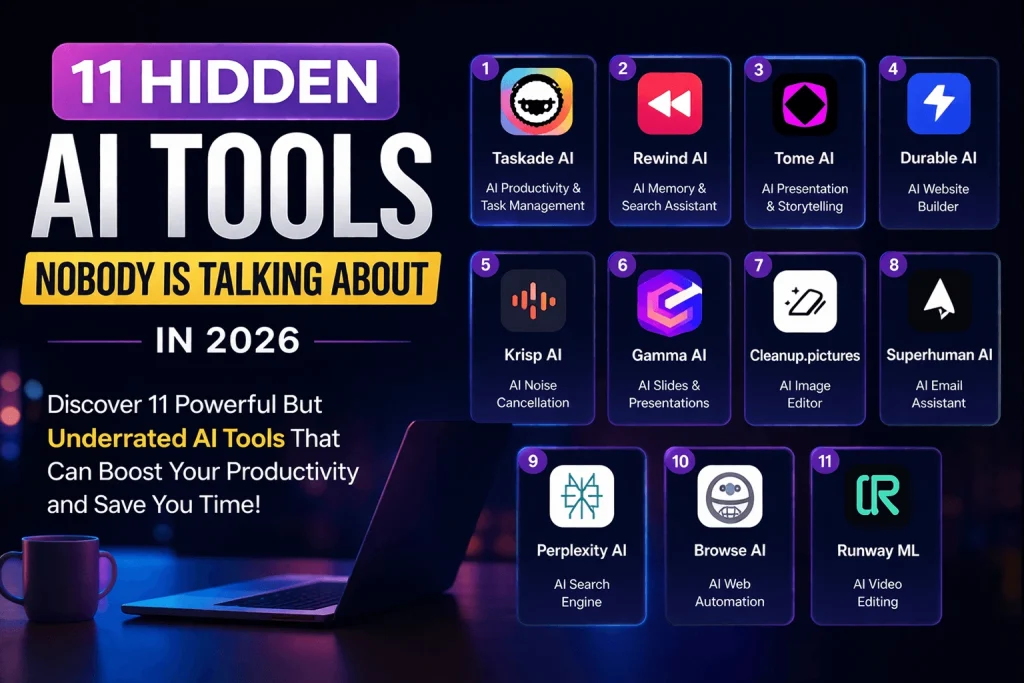
This guide highlights 11 hidden AI tools in 2026 that deliver real, practical value—without the hype.
1. Taskade AI — Structured Thinking at Scale
Taskade combines task management, collaboration, and AI into a single workspace.
Instead of manually planning projects, you can generate structured workflows in seconds.
Key capabilities:
- AI-generated task lists and mind maps
- Real-time collaboration
- Workflow automation
Best for: Founders, freelancers, and remote teams who need clarity and speed.
2. Rewind AI — Searchable Digital Memory
Rewind acts as a personal search engine for everything you’ve seen on your device.
It continuously records your screen activity (locally) and allows you to retrieve information instantly.
Key capabilities:
- Search past meetings, documents, and browsing history
- Instant recall of previously viewed content
- Privacy-focused local storage
Best for: Knowledge workers, researchers, and executives handling large volumes of information.
3. Tome AI — AI-Native Storytelling
Tome removes the friction from creating presentations.
Instead of building slides manually, you describe your idea—and the platform generates a structured narrative.
Key capabilities:
- AI-generated presentations
- Built-in storytelling frameworks
- Visual content integration
Best for: Marketers, founders, and consultants.
4. Durable AI — Instant Business Websites
Durable can generate a complete business website—including copy and design—in under a minute.
It’s not just fast—it’s functional.
Key capabilities:
- One-click website creation
- AI-generated business copy
- Built-in CRM and tools
Best for: Small business owners and solo entrepreneurs.
Read More About:
Top Ai Tools That will Transform Your Productivity
AI Chrome Extensions You Need to install Right Now
5. Krisp AI — Real-Time Audio Enhancement
Krisp eliminates background noise during calls in real time.
In remote environments, clarity is productivity.
Key capabilities:
- Noise and echo cancellation
- Voice enhancement
- Seamless integration with meeting platforms
Best for: Remote teams and professionals in frequent meetings.
6. Gamma AI — Effortless Presentations
Gamma replaces traditional slide creation with AI-powered formatting and design.
It transforms raw ideas into polished visual content.
Key capabilities:
- Auto-formatted presentations
- Clean, modern layouts
- Minimal manual input
Best for: Professionals who need fast, high-quality presentations.
7. Cleanup.pictures — Instant Image Editing
Cleanup.pictures simplifies one of the most tedious design tasks: removing unwanted elements from images.
Key capabilities:
- Object and background removal
- High-quality image restoration
- No design skills required
Best for: Content creators, marketers, and designers.
8. Superhuman AI — High-Performance Email
Superhuman is designed for speed.
It turns your inbox into a streamlined system where AI assists with writing, summarizing, and responding.
Key capabilities:
- AI-generated replies
- Email summarization
- Keyboard-first workflow
Best for: Executives, operators, and high-volume email users.
9. Perplexity AI — Answer-First Search
Perplexity combines search with AI-generated answers—backed by sources.
It reduces the need to sift through multiple pages.
Key capabilities:
- Direct answers with citations
- Real-time web access
- Research-focused interface
Best for: Analysts, writers, and researchers.
10. Browse AI — No-Code Data Extraction
Browse AI automates web scraping without requiring technical expertise.
You can extract and monitor data from websites with minimal setup.
Key capabilities:
- Automated data extraction
- Website monitoring
- No coding required
Best for: Marketers, eCommerce operators, and analysts.
11. Runway ML — Advanced AI Video Editing
Runway is redefining video production with AI-powered tools.
It allows creators to perform complex edits that traditionally required advanced skills.
Key capabilities:
- Background removal in video
- AI-generated video content
- Motion tracking and editing
Best for: Content creators and video professionals.
AI Tools Comparison Table (2026)
| Tool Name | Category | Primary Use Case | Best For | Key Benefit |
|---|---|---|---|---|
| Taskade AI | Productivity AI | Task management & workflow creation | Freelancers, teams | Organizes work instantly |
| Rewind AI | AI Memory Tool | Search past activity | Researchers, professionals | Never lose information again |
| Tome AI | Presentation AI | AI storytelling & slides | Marketers, founders | Creates presentations in minutes |
| Durable AI | Website Builder AI | Instant website creation | Small businesses | Launch a site in 30 seconds |
| Krisp AI | Audio AI Tool | Noise cancellation | Remote workers | Clear, distraction-free calls |
| Gamma AI | Presentation AI | Slide creation & formatting | Students, professionals | No design skills needed |
| Cleanup.pictures | Image Editing AI | Remove objects from images | Designers, creators | Fast visual editing |
| Superhuman AI | Email Productivity AI | Email writing & management | Executives, professionals | Speeds up inbox workflow |
| Perplexity AI | AI Search Engine | Research & answers | Bloggers, analysts | Accurate answers with sources |
| Browse AI | Automation AI Tool | Web scraping & monitoring | Marketers, eCommerce | Automates data collection |
| Runway ML | Video Editing AI | AI video creation & editing | Content creators | Advanced editing made simple |
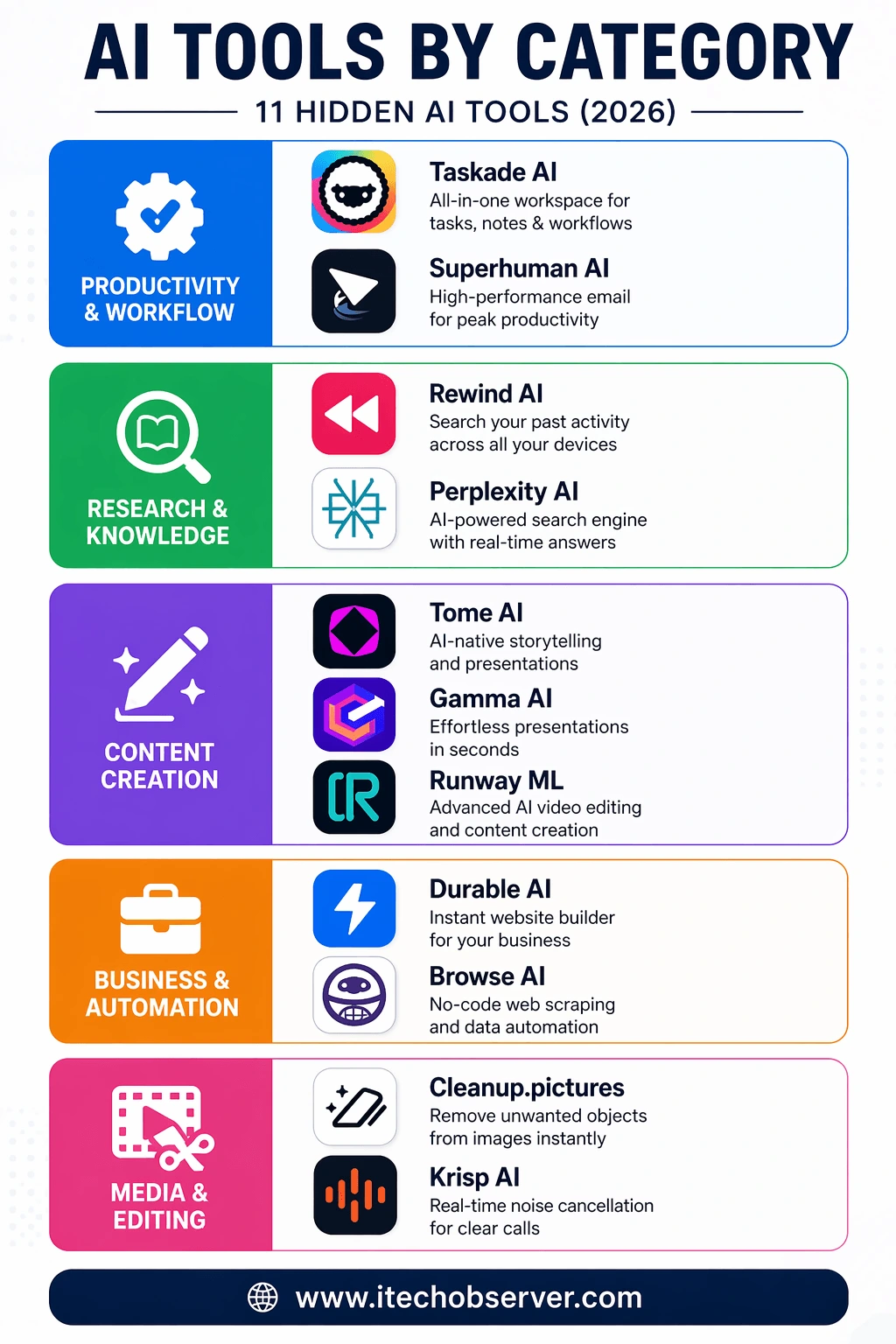
AI Tools by Category (Strategic Breakdown)
To help you quickly identify the right tools for your workflow, here’s a structured breakdown by category:
Productivity & Workflow Optimization
Tools designed to streamline tasks, manage workloads, and improve daily efficiency.
- Taskade AI — All-in-one AI workspace for task management and collaboration
- Superhuman AI — High-performance email client built for speed and automation
Research & Knowledge Management
Tools focused on information retrieval, recall, and intelligent search.
- Rewind AI — Searchable memory engine for your digital activity
- Perplexity AI — AI-powered search engine with real-time, cited answers
Content Creation & Presentation
AI tools that accelerate content production, storytelling, and visual communication.
- Tome AI — AI-driven storytelling and presentation builder
- Gamma AI — Automated slide creation with modern design formatting
- Runway ML — Advanced AI video editing and content generation
Business & Automation
Solutions built to automate processes and support business growth.
- Durable AI — Instant AI website builder for rapid business launches
- Browse AI — No-code web scraping and data automation platform
Media Enhancement & Editing
Tools focused on improving audio, visuals, and creative assets.
- Cleanup.pictures — AI-powered image editing and object removal
- Krisp AI — Real-time noise cancellation for professional communication
How to Choose the Right AI Tool
When selecting AI tools, focus on:
1. Your Goal
- Productivity → Taskade
- Research → Perplexity
- Automation → Browse AI
2. Ease of Use
Choose tools with simple interfaces.
3. ROI (Return on Time)
Pick tools that save hours—not minutes.
Conclusion
AI is no longer about access—it’s about leverage.
The tools listed here aren’t necessarily the most talked about. But they are among the most useful, practical, and time-saving.
Adopting even a few of them can:
- Reduce manual workload
- Improve output quality
- Create a measurable productivity advantage
The opportunity is simple:
Use what others are overlooking.
Frequently Asked Questions (FAQs)
What are hidden AI tools?
They are lesser-known AI applications that provide strong functionality but aren’t widely adopted yet.
Are these tools beginner-friendly?
Yes. Most tools listed are designed with simple interfaces and minimal learning curves.
Do I need to pay for these tools?
Many offer free tiers, with premium features available as needed.
Which tool is best for business use?
Durable AI, Taskade, and Browse AI are particularly effective for business workflows.
How do I choose the right tool?
Start with your primary need—productivity, automation, content creation—and select accordingly.


Hey there 👋 I’m Awais, the curious mind behind iTech Observer.
I’m a tech blogger who loves diving deep into AI and Cybersecurity, but my real passion is making those topics easy to understand — especially for small business owners trying to grow in a digital world.
Here on iTech Observer, I break down the latest tech trends, tools, and security tips into practical, real-world advice you can actually use. Whether you’re trying to secure your business website, understand how AI can boost productivity, or just want to stay updated on what’s next in tech — you’re in the right place.
I believe technology should empower, not overwhelm.
Let’s explore the innovations that can make your business stronger, smarter, and more secure.

Discussion
Comments are closed.